


Developing iOS apps using Flutter can be challenging for developers. While Flutter provides a cross-platform framework for app development, the iOS ecosystem’s intricacies, including the build, deployment, and review process, can present unique hurdles. In this blog post, we will explore the journey of a Flutter developer navigating the process of building, deploying, and reviewing iOS apps, focusing on the issues they may encounter along the way.
Setting up the Development Environment
Before starting the iOS app development journey in Flutter, developers need to set up their development environment. This involves installing Xcode, Apple’s integrated development environment, and configuring Flutter and Dart dependencies. While Flutter simplifies the setup process, ensuring compatibility between different versions of Flutter, Xcode, and iOS can sometimes be complex.
(Ref: https://docs.flutter.dev/get-started/install)
Build Time Issues with Flutter and Xcode
Once the development environment is ready, Flutter developers can begin building their iOS app. Flutter’s “hot reload” feature significantly speeds up the development process by allowing developers to instantly see code changes. However, when building the app for iOS, developers must consider the correct build settings, and target devices, and ensure compatibility with various iOS versions and screen sizes.
Common Issues and How to Tackle Them
- “Flutter.h does not exist” Error:

One of the most common issues encountered by Flutter developers during iOS app development is the “Flutter.h does not exist” error. This error typically occurs due to a mismatch between the Flutter SDK and Cocoapods installation. To resolve this issue, developers can follow the steps mentioned in the GitHub issue.
To resolve this issue, one can follow the steps mentioned in the GitHub issue [link: https://github.com/flutter/flutter/issues/98187]. The solution involves cleaning the build artifacts and regenerating the necessary Flutter framework files. By running the following commands in the terminal:
rm -rf ios/Flutter/App.framework
rm -rf ios/Flutter/Flutter.framework
flutter clean
flutter build ios
These commands help resolve the “Flutter.h does not exist” error by ensuring the correct regeneration of Flutter framework files.
- Apps Crashing on Startup:
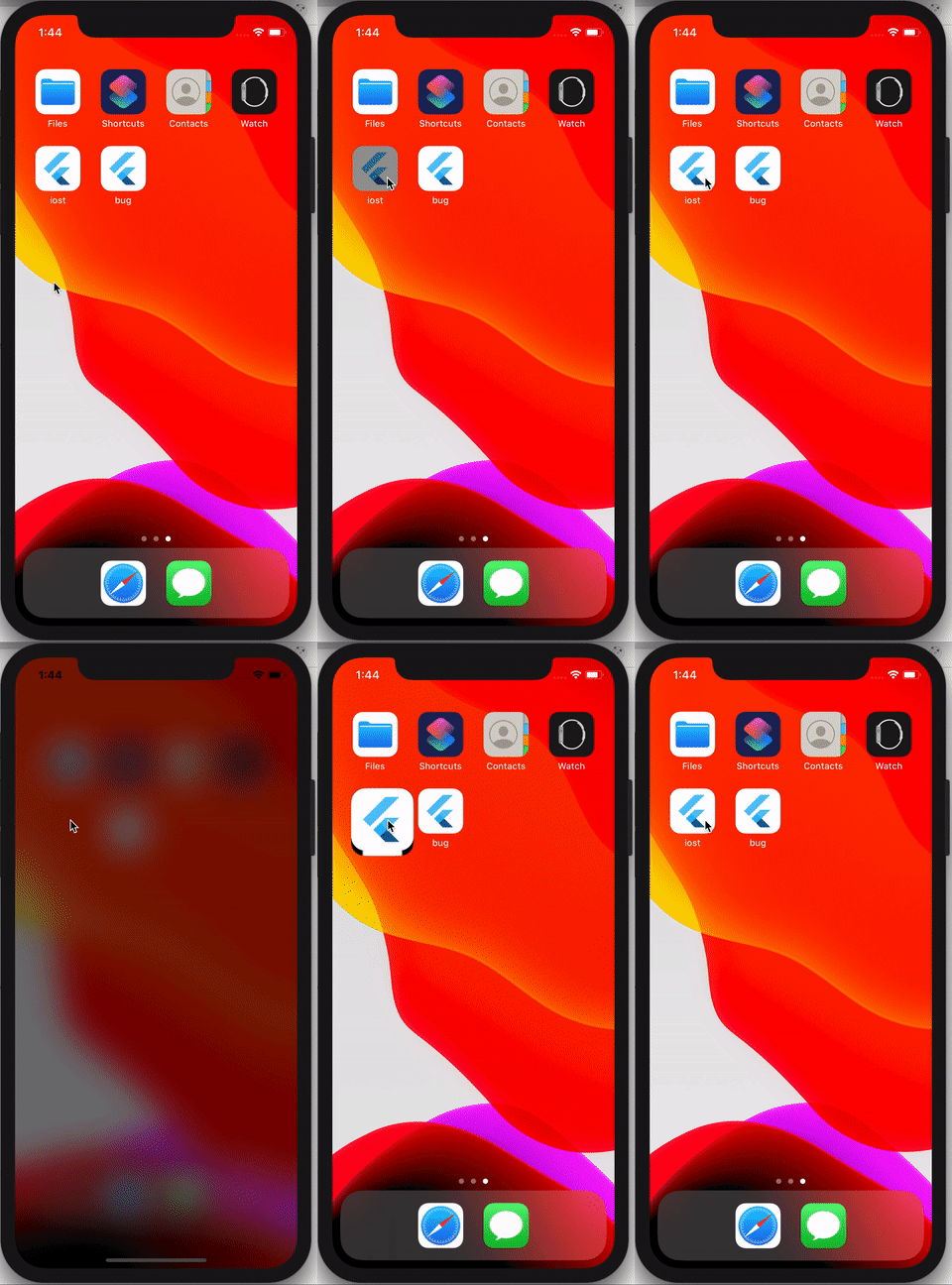
Another challenge that Flutter developers may face is random app crashes during startup. These crashes can occur for various reasons and may not provide specific error messages, making debugging challenging. To find insights and potential solutions, developers can refer to the Apple Developer Forums thread.
- App Showing a Blank White Screen on Launch:
Flutter developers may also encounter an issue where the app displays a blank white screen on launch and gets stuck. This problem can stem from incorrect app configuration, plugin conflicts, or issues related to app routing and navigation. Developers can refer to resources like the Stack Overflow question for insights and potential solutions to address this issue.
(Ref: https://stackoverflow.com/questions/59661814/flutter-ios-app-showing-white-screen-on-launch-and-hang-up-on-that-screen)
- Cocoapods and Xcode Versioning Glitches:
Cocoapods is a popular dependency manager used in iOS app development, including Flutter projects. However, compatibility issues between Cocoapods, Flutter, and Xcode versions can lead to frustrating glitches. One common error encountered by Flutter developers is the “flutter.h does not exist” issue, which arises when the Cocoapods installation is not properly linked or when there are discrepancies between the Flutter SDK and Cocoapods. Similarly, developers may come across errors like “library X does not exist” due to conflicts between Cocoapods libraries and Xcode versions.
Resolving these issues requires careful version management and configuration adjustments. It’s crucial for Flutter developers to ensure that the Cocoapods and Flutter versions are compatible and that the Flutter project is correctly integrated with the Cocoapods dependencies. Additionally, staying up to date with Xcode releases and keeping track of any breaking changes can help mitigate versioning glitches.
Workarounds and Community Support
When facing Cocoapods and Xcode versioning glitches, Flutter developers can explore workarounds and seek support from the vibrant Flutter community. Community forums, GitHub repositories, and developer documentation often provide insights into specific issues and potential solutions. Modifying the project’s Podfile, cleaning build caches, or manually linking dependencies are some possible solutions. Leveraging the collective knowledge and experiences of the Flutter community can help overcome these challenges efficiently.
Conclusion
Building, deploying, and reviewing iOS apps as a Flutter developer may present challenges, but with perseverance and a solid understanding of Flutter and iOS app development practices, developers can successfully navigate this journey. By shedding light on the challenges faced and providing insights and strategies to overcome them, this blog post aims to equip Flutter developers with the necessary knowledge and resources. Remember, while the journey may be complex, the end result — a well-crafted and polished iOS app — is worth the effort. Happy coding and happy Fluttering!
Follow me on Medium
 Josh Software