

Modularizing a Rails App with Packwerk — The Real-World Lessons I Learned
The Unexpected Discovery Inside a Rails Monolith
In the very early days of my internship, I started using Ruby on Rails — fast, intuitive, and opinionated in all the best ways. I was hooked.
As I started working with the codebases of larger applications, I noticed a few things:
Rails monoliths grow quickly — and they grow messy.
Models, controllers, services, and helpers are all piled together in a few directories. The app starts out simple, and before you know it and you’re extremely fast and you have well over a hundred files in app/models. After a new developer questions the relationship a given feature has between its dependencies… it’s going to be a guess as to where that feature leads you to within the code.
I held onto what many a developer believe by default:
A microservices architecture is one option, but not a mandatory one!
That sentiment stood — until I joined a client project and witnessed something that completely countered my perspective.
A Codebase That Felt… Different
The client app was mature, high-traffic, and large — the kind of Rails app where change usually feels risky. But this one didn’t.
As I explored it, I noticed:
– Features felt neatly grouped
– Unrelated parts didn’t seem tangled together
– I could easily find what I was looking for
So I started digging — and found the reason behind this clarity:
The team was using Packwerk, a tool built by Shopify to add structure and boundaries inside monolithic Rails apps.
This discovery changed how I think about scaling Rails.
What is Packwerk (And What It Really Solves)
For setup, do visit Packwerk Official Repo
Packwerk does not break your app into microservices. It does not provide new infra. Rather, it helps you to separate your monolith into isolated “packs”, or logical domains with boundaries and rules.
It encourages architectural discipline within the monolith. Each pack becomes a self-contained unit with clear visibility rules, internal vs. external APIs, and controlled dependencies. This makes the codebase easier to understand, change, and scale — especially in large teams.
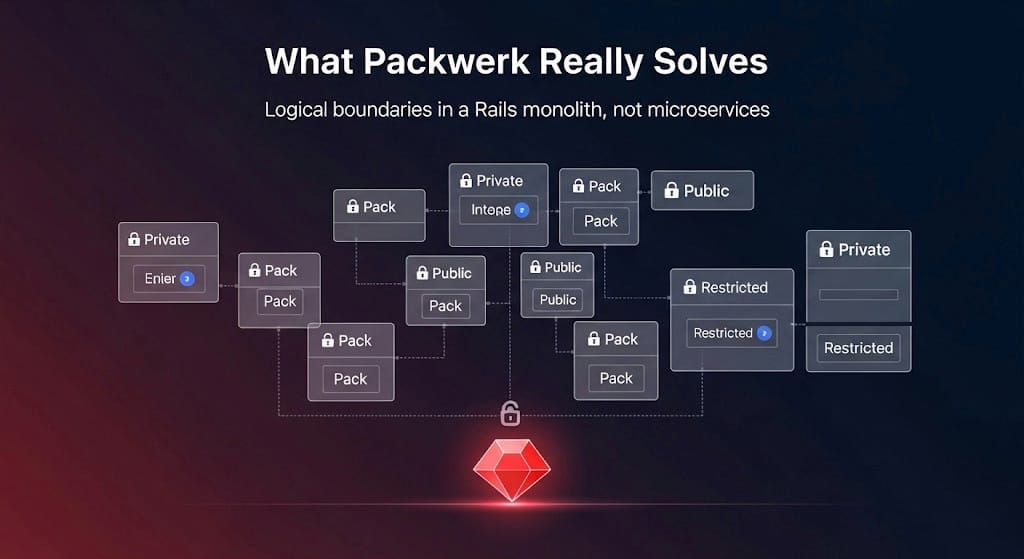
– What parts of it were public
– What other packs it could depend on
– Which files were private and protected
Essentially, think of it as creating mini-Rails apps within your monolith, but with defined boundaries.
The Problems It Solved — Firsthand
1. The Monolith Felt Really Large
Before: Navigating the codebase meant jumping across 80+ files scattered across unrelated domains — from authentication logic to background jobs to UI handlers — all tightly coupled and mixed together.
After: With Packwerk, related files were grouped into well-defined packs. You could open a single folder and instantly know that everything inside it served one purpose. It made the app feel smaller, cleaner, and more focused.
2. No Privacy = Accidental Coupling
Before: Any part of the app could call any internal class from anywhere. Developers unknowingly created deep dependencies across the system, leading to tangled code and surprise bugs when something changed elsewhere.
After: Turning on enforce_privacy: true in Packwerk made boundaries real. You could only use the public interface of another pack. If you touched something private, Packwerk blocked it — during build time — saving hours of debugging later.
3. Refactors Were Scary
Before: Updating a method or renaming a class was a gamble. You never really knew what depended on what, and testing coverage wasn’t always enough to catch breakages.
After: Each pack explicitly declared what it depended on in package.yml. This meant changes couldn’t introduce silent, hidden dependencies — and if something wasn’t declared, CI would stop the pull request before it ever hit main.
4. CI = First Line of Defense
One of Packwerk’s most powerful features was how it integrated with our CI pipeline.
Instead of discovering boundary violations in production (or worse — during a Friday deploy), CI would immediately fail if:
– A private class was accessed outside of its pack
– A pack did a dependency on something it hadn’t declared
– A team was accidentally introducing architectural drift
Thus feedback loop saved us hours of debugging time — and kept the code base from slipping back into chaos.
The Developer Experience with Packwerk
Here’s a simplified example of how a Rails project might be structured using Packwerk — just to help you visualize what it looks like in practice:
Example Structure
Imagine your app is like a company with different departments (packs). Each department handles its own responsibility and only exposes what others need to know.
Scenario: You’re building an e-commerce app with two main parts:
- Users who can sign in, have profiles, etc.
- Orders placed by those users.
Here’s how Packwerk helps:
Folder Structure Breakdown
packs/
├── orders/
│   ├── app/models/orders/order.rb        # Internal logic for Order model
│   ├── public/orders/order_service.rb    # Shared business logic (e.g., place_order)
│   └── package.yml                        # Ownership + boundaries
├── users/
│   ├── app/models/users/user.rb          # Internal User model
│   ├── public/users/user_profile.rb      # Public logic (e.g., fetch_profile)
│   └── package.yml
Packs as Departments:
orders/ is the Orders Department
users/ is the Users Department
This layout isn’t boilerplate — just an example to show how teams might separate concerns using Packwerk.
Each department has:
- Private Work (hidden/internal logic) → goes in app/
- Public Services (shared with other teams) → goes in public/
- Team Info and Rules → defined in package.yml
package.yml for orders/ Pack
enforce_privacy: true           # Can't use private files from other packs
enforce_dependencies: true      # Can only depend on what you declare here
dependencies:
  - packs/users                 # Orders is allowed to talk to Users
metadata:
  owner: "@orders-team"         # Who reviews or maintains this pack
Example Usage
In order_service.rb (public file), if you want to use the user’s profile:
# Allowed: public dependency
UserProfile.fetch(user_id)
But if you try to use user.rb directly:
# Not Allowed: accessing private file of users pack
User.find(user_id)
Packwerk will raise an error.
What this achieves:
– Privacy You can only access files in public/, not someone else’s private internals
– Dependencies You must declare who you’re depending on, so things stay predictable
– Ownership Each team owns their own code. If there’s a bug or PR, you know who to contact
The Mindset Shift It Gave Me
Before this project, I truly believed:
“Monoliths eventually have to be broken into microservices.”
But now, I understand this instead:
“Monoliths don’t scale badly — unstructured monoliths do.”
Packwerk showed me that we can scale Rails apps without fragmenting them.
Why I’d Recommend Packwerk
If you are working on a Rails app that is getting out of control, Packwerk can:
– Help your team establish architectural boundaries
– Prevent developers from introducing hidden dependencies
– Speed up on-boarding and make codebases easier to navigate
– Prevent microservice complexity too early
The best part? It doesn’t change the way you build Rails apps, it just makes them safer and more maintainable!
Conclusion
Packwerk won’t solve every scaling challenge — but it solves a big one that many Rails developers struggle with: how to grow a monolith without losing control.
For me, discovering Packwerk was eye-opening. It changed how I think about Rails architecture, modularity, and team velocity.
If you’re working on a growing Rails monolith, I genuinely believe it can shift your perspective too — just like it did for me.
 Josh Software